Only changed cells
Unchanged pixels produce no new image output. Each cell keeps its own image and placement, so a small change can stay small.
 Goblin ScryA Goblin Reactor project
GRAPHICAL DESKTOPS. TERMINAL NATIVE. / 0.1.0
Connect to a Windows desktop. Open a Mac over VNC. Run an X11 app or a Wayland session. Optimized for Silkie, so you can keep it all in your terminal.
Requires a terminal with Kitty graphics support.
THE IDEA
Scry decodes the desktop into pixels, divides it into terminal cells, and sends those cells using the Kitty graphics protocol. Keyboard and mouse input travel back to the session.
A remote machine, or a local Linux display.
Decode pixels. Track changes. Forward input.
Kitty graphics, with your keyboard and mouse.
goblin-scry x11 -- startxfce4#include <iostream> int main() { std::cout << "Hello, terminal."; }
Unchanged pixels produce no new image output. Each cell keeps its own image and placement, so a small change can stay small.
The default is one desktop pixel per display pixel. Use --magnification 2 for integer scaling on a high-density screen.
Local X11 and Wayland sessions follow the terminal’s pixel resolution as you resize the window or change its font.
MORE LIGHT. IN YOUR TERMINAL.
Scry’s experimental Apple High Performance Screen Sharing backend keeps every color channel in 16-bit floating point. Silkie’s HDR graphics protocol carries those pixels into your terminal, preserving highlights above ordinary screen white.
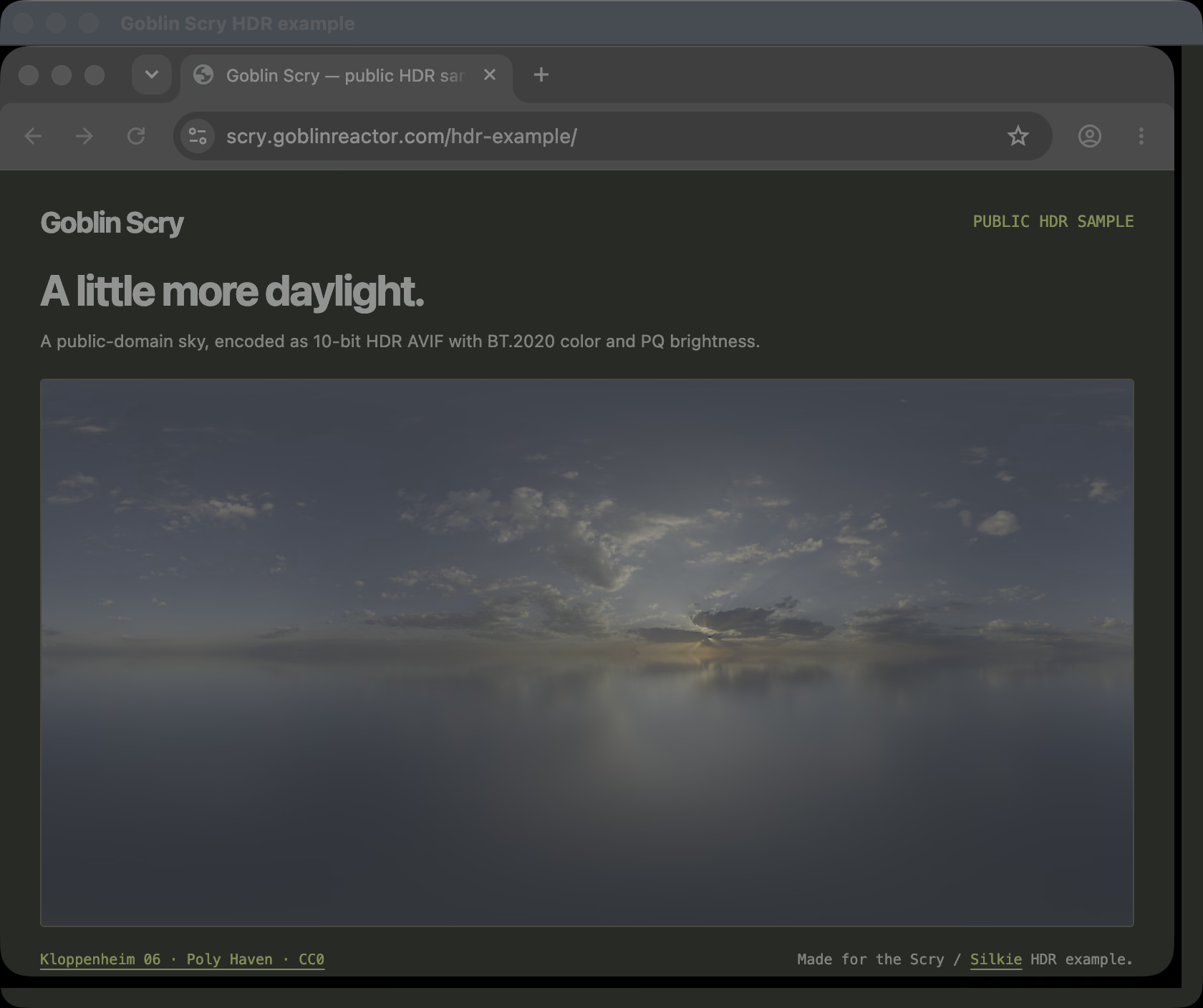
The screenshot itself is a 10-bit HDR AVIF with BT.2020 color and PQ brightness. An HDR display and a compatible browser reveal its full highlight range; other displays show a tone-mapped view.
Try the current source build. HPSS requires its optional runtime and an HDR-capable Silkie terminal. The published 0.1.0 packages predate HPSS. Setup and current limitations ↗
Public sample: Kloppenheim 06 Pure Sky by Greg Zaal and Jarod Guest, Poly Haven / CC0. View the sample page ↗ · Get Silkie ↗
CHOOSE YOUR SESSION
LOCAL / LINUX
Scry starts a private TigerVNC X server and launches your command inside it. Run one app, a window manager, or a whole desktop.
goblin-scry x11 -- startxfce4Needs TigerVNC and xrandr. Local sessions use a private Unix socket; no TCP VNC listener is opened.
Ctrl + ] exits Scry. Ctrl + C goes to the session. Navigation, function keys, Unicode text, dragging, and scrolling are supported.
INSTALL & RUN
Install Scry where the graphical connection or local display will run. Scry is optimized for Silkie and supports terminals with Kitty graphics.
Version 0.1.0 is available. Native packages for Apple Silicon macOS 26, Ubuntu 26.04, and Kylin V10 LoongArch.
MACOS / APPLE SILICON
brew tap goblinreactor/tap \
  https://brew.goblinreactor.com/homebrew-tap.git
brew install goblinreactor/tap/goblin-scry
The tested native macOS 26 build includes RDP and VNC. Homebrew supplies OpenSSL 3 and libjpeg-turbo.
Homebrew repository ↗LINUX / NATIVE PACKAGES
sudo apt update
sudo apt install goblin-scry
First configure the signed Goblin Reactor repository for your OS release. Use the package built for your distribution and architecture.
Native packages: Ubuntu 26.04 amd64 and arm64; Kylin V10 old-world loongarch64. All three Linux packages have been installed and tested through the signed APT repository.
Apple Git may stall when fetching the static tap over HTTP/2. Select HTTP/1.1 for this command:
GIT_CONFIG_COUNT=1 GIT_CONFIG_KEY_0=http.version \
GIT_CONFIG_VALUE_0=HTTP/1.1 \
  brew tap goblinreactor/tap \
  https://brew.goblinreactor.com/homebrew-tap.git
This leaves your global Git configuration unchanged.
A C++17 compiler, CMake, pkg-config, FreeRDP 3, and LibVNCClient 0.9.14+ are required. LibVNCClient needs a crypto backend for Apple account authentication.
git clone https://github.com/adamdeprince/scry.git
cd scry
cmake -S . -B build -DCMAKE_BUILD_TYPE=Release
cmake --build build --parallel
./build/goblin-scry --help
See the repository README for development dependencies and pinned library builds. Download the complete 0.1.0 source archive, including the bundled libraries’ source and licenses.
sudo apt install tigervnc-standalone-server \
  x11-xserver-utils xterm sway wayvnc foot

goblin-scry x11 -- xterm
goblin-scry wayland -- foot
Wayland mode uses a headless Sway compositor and wayvnc with Unix socket support. Closing the launched application ends the session and cleans up its display processes.
goblin-skiff -- HOST goblin-scry wayland -- footPut -- before the hostname so Scry’s options reach Scry. Use matching current Skiff builds, and start a fresh session after upgrading.
CURRENT SCOPE
RDP uses FreeRDP’s software GDI path. VNC includes Apple Remote Desktop account authentication. A real RDP-server session has not yet been verified.
Clipboard, audio, file transfer, reconnection, and RDP gateways are not implemented. Remote RDP/VNC sessions do not automatically change their desktop resolution when the terminal resizes.
RDP certificates are verified by default. Apple ARD authentication protects the credential exchange, but does not itself encrypt subsequent desktop traffic.
Goblin Scry links FreeRDP and LibVNCClient. GPLv3 allows the complete application to be distributed with both. Matching source and dependency notices accompany every release.
Read the license · Dependency licensing